Holding the Largest and Most-Read Reference Work in History in the Palm of Your Hand
February 1, 2023
I've always been a huge fan of Wikipedia. Maybe that's because I'm old enough to remember a time when, if I wanted to learn about a topic (e.g. Evolution by Natural Selection), it meant I'd have to ask my mom to drive me to the Gloucester County Public Library. I'd usually end up being disappointed by the sparse entry in the Encyclopedia Britannica (if there even was one) and then proceed to hoping that my small town library had at least one book on 19th century British Inventors that I could pick through to find the information I was looking for. You also had to know where the library was, because we didn't have smartphones or Google Maps back then either.
A year or so ago it came to my attention that all of English-language Wikipedia (including all the pictures) is less than 100GBs uncompressed and that the Wikimedia Foundation regularly uploads compressed backups online for anyone to download. I knew immediately that I wasn't going to be able to resist an opportunity to hold the aggregate knowledge of humanity in my hand. Thanks to Moore's Law, it's also now possible to buy a 1TB USB flash drive on Amazon for under $40. Let's GOOO!
As it happened, I already had a Samsung USB flash drive handy. It only has a 256 GB capacity, but that should be more than enough. Less than 15 minutes later, I was holding "the largest and most-read reference work in history" in the palm of my hand. Here's a visual aid to give you a sense of what that looked like:
Me and Wikipedia.
Alternatively, you could start wearing the largest and most-read reference work in history on a chain around your neck like Frodo and the Ring of Power:
Necklace of Knowledge(TM).
In this post, I'll walk you through some steps you can follow to make your own "Necklace of Knowledge" with just a few clicks. At the end of the post, we'll also walk through how you can begin maintaining your own offline copy of Wikipedia using a simple Python program to automate keeping your copy up to date. But first, let's start by just getting all of Wikipedia into the palm of your hand as quickly as possible. It's as simple as following the steps below:
Acquire a USB Flash Drive:
You'll need a USB flash drive with sufficient capacity to store the download. As of the time I'm writing this, 100 GBs will be sufficient. However, you may need to go bigger depending on how much Wikipedia has grown between when this post was published and when you are reading it. If you want to buy the same flash drive I have, you can do so on Amazon. Of course, if you have plenty of space on your desktop or laptop computer, you can theoretically skip this step, but please note that you won't be able to hold all of Wikipedia in your palm or wear it around your neck.
Download an Offline Reader:
Pick one of the offline reader applications such as XOWA or Kiwix and install it on your machine. I chose Kiwix because it's free, open source and lightweight.
Download a copy of Wikipedia:
To download the latest Wikipedia dump, go to dumps.wikipedia.org/enwiki and pick the bundle you want to download. You probably want the one titled enwiki-latest-pages-articles-multistream.xml.bz2, which you can get at this link. It's just around 20 GB compressed and will expand to around 93 GB when decompressed. Please note that the version of the bundle you want to download may vary depending on the offline reader you chose. If you picked Kiwix as your reader, you're going to need '.zim' version. Kiwix ships with a utility called kiwix-manage that you can use to convert the .xml files to .zim, but that can take a while and Kiwix makes .zim versions available already at https://download.kiwix.org/zim/wikipedia/. You'll want the one with a title that looks like wikipedia_en_all_maxi_2023-04.zim, although the filename may vary depending on the dates available when you are reading this.
Move the Wikipedia download to your flash drive:
I would recommend moving the downloaded file to your external hard drive. 93 GB might be more space than you want to allocate locally on your laptop. Don't worry, you'll be able to point Kiwix at the bundle on your flash drive.
It's also an option to download the file straight to your external flash drive. You can find instructions for doing so on wikiHow. Side note: It's also possible to download an offline copy of all of wikiHow if you want to grab one of those for good measure or so that your offline Wikipedia file doesn't get lonely on your flash drive.
Once you have the reader and Wikipedia database dump downloaded, simply open up Kiwix and point it at the .zim file!
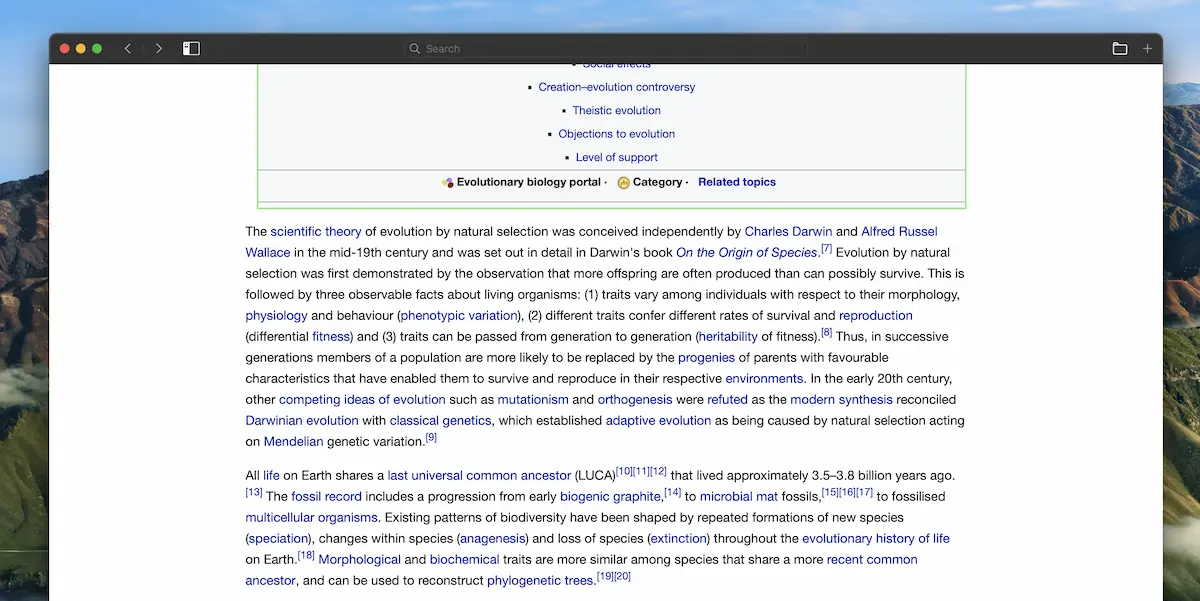
Now that you've downloaded all of Wikipedia, you can sleep easy knowing that, even if you forget to pay your internet bill, you'll still be able to read about how the theory of evolution was actually independently conceived by Alfred Russel Wallace even though Charles Darwin is the one who gets all the credit:
Poor Alfred...
For good measure, I also went ahead and saved a copy of the the Kiwix reader download on my flash drive as well. If we're going to carry around all of Wikipedia on a flash drive, might as well include a backup copy of the offline reader so that's always handy even when we don't have internet access.
If so, you're probably going to prefer to automate all this programmatically. But even if you aren't a terminator, you may decide you want to be able to automatically keep your offline copy of Wikipedia up to date. For example, perhaps you don't have time to regularly drive all the way out to your doomsday bunker to download an updated copy manually? Or maybe you need a way to programmatically keep your personal, semi-benevolent large language model (LLM) AI trained on the latest version of human knowledge?
If you're comfortable running a python script, here's one you can use to automate this process:
import osimport reimport shutilimport tempfileimport requestsfrom bs4 import BeautifulSoupdef download_latest_wikipedia_zim(language_code, dump_dir):url = f'https://download.kiwix.org/zim/wikipedia/'soup = BeautifulSoup(requests.get(url).text, 'html.parser')links = [] for link in soup.find_all('a'): href = link.get('href') if href and href.endswith('.zim') and language_code in href: links.append(href) latest_link = max(links, key=lambda link: re.search(fr'^wikipedia_{language_code}_all_maxi_\d{{4}}-\d{{2}}\.zim', link).group(0) if re.search(r'^wikipedia_en_all_maxi_\d{4}-\d{2}\.zim', link) else '') zim_url = url + latest_link if latest_link: print(f'Found new zim file called {latest_link} at {zim_url}. Downloading...') with requests.get(zim_url, stream=True) as response: with tempfile.NamedTemporaryFile(delete=False, dir=dump_dir) as zim_file: shutil.copyfileobj(response.raw, zim_file) print(f'ZIM file downloaded to {zim_file.name}') return zim_file.name else: print('No new zim file found') return Noneif **name** == '**main**':language*code = 'en'dump_dir = '/Volumes/SamsungUSB' # change this to the mount point of your USB drive or whatever other directory you might want to save things in.previous_zim_pattern = re.compile(fr'^wikipedia*{language*code}\_all_maxi*\d{{4}}-\d{{2}}\.zim') # download latest Wikipedia ZIM file zim_file_path = download_latest_wikipedia_zim(language_code, dump_dir) # delete previous ZIM files once the new download is complete. if os.path.exists(zim_file_path): for file_name in os.listdir(dump_dir): if previous_zim_pattern.match(file_name) and language_code in file_name: os.remove(os.path.join(dump_dir, file_name)) print(f'Deleted previous ZIM file {file_name}') else: print('ZIM file download failed, previous versions were not deleted')
You could also download the .xml version straight from the Wikimedia downloads page, but you'll need to add logic to convert the file to a .zim version that Kiwix can read. This is doable with a couple extra libraries but will require quite a bit more memory during the conversion process:
import mwxmlfrom zimply import create_new_zimdef download_wikipedia_dump(language_code, dump_dir): dump_url = f'https://dumps.wikimedia.org/{language_code}wiki/latest/{language_code}wiki-latest-pages-articles-multistream.xml.bz2' with requests.get(dump_url, stream=True) as response: with tempfile.NamedTemporaryFile(delete=False, dir=dump_dir) as dump_file: shutil.copyfileobj(response.raw, dump_file) return dump_file.namedef create_zim_file(dump_file_path, zim_file_path): with mwxml.Dump.from_file(open(dump_file_path, 'rb')) as dump: with create_new_zim(zim_file_path) as zim_writer: for page in dump: if not page.redirect and not page.title.startswith('File:'): zim_writer.add_article(page.title, page.text)